Downloading software exposes you to risks that most users underestimate. A fake official website, a modified installer or a simple pre-ticked box can be enough to compromise a computer. Verification mechanisms built into operating systems and package managers reduce these risks, but their effectiveness varies depending on the download channel you choose.
Digital signatures and package managers: comparing download channels
Not all download channels are equally safe. Some automatically verify file integrity, while others leave users on their own with an installer whose origin they cannot confirm.
| Channel | Automatic hash verification | Publisher signature checked | Risk of modified software |
|---|---|---|---|
| winget (Windows Package Manager) | Yes | Yes | Low |
| Microsoft Store | Yes (SmartScreen built in) | Yes | Low |
| Ninite | Yes | Yes | Low |
| Publisher’s official website | No (manual, via hash) | Varies by publisher | Moderate |
| Third-party site / unofficial mirror | No | No | High |
A survey of 14 free software programs shows that 11 out of 14 are available through winget, and 9 of the 11 listed in winget have a signature recognized by Windows. Six are also available in the Microsoft Store. These figures confirm that package managers now cover most commonly used tools.
When you’re looking to install software safely, your choice of download channel matters just as much as your choice of software.

Fake official websites and malicious installers: how risks vary by source
In late October 2022, a Google ad for GIMP displayed the address gimp.org. Clicking it redirected users to gilimp.org, a clone hosting a 700 MB installer that concealed Vidar, a password stealer. The difference between the displayed website and the actual one was a single letter.
This type of attack exploits visual trust. The domain name looks like the original, the website design is copied, and the file is given the expected name. Checking the domain name letter by letter is the first thing to do before downloading anything from a search engine.
Verify the file hash before running it
Most free software publishers provide the hash (SHA-256 or MD5) of their downloadable files. Of the 8 open-source programs in the survey mentioned above, 7 publish their hash on their official website. No commercial publisher does the same on its public pages.
Verifying the hash takes less than a minute on Windows using the certutil -hashfile command in Command Prompt. If the hash does not match, the file has been modified somewhere between the publisher’s server and your computer.
- Get the hash published on the publisher’s official website (not from a forum or third-party site)
- Open Command Prompt and type: certutil -hashfile file_path SHA256
- Compare the two strings: they must match exactly
- If in doubt, submit the hash to VirusTotal before uploading the file itself, to avoid sharing a potentially sensitive document
SmartScreen warnings and unsigned applications on Windows
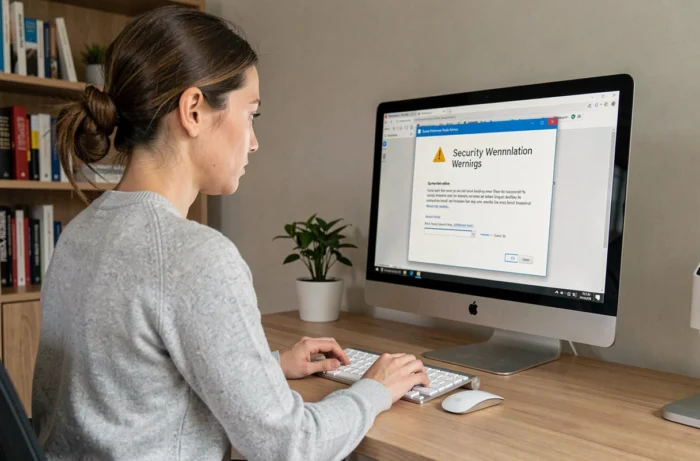
When Windows displays the message “Windows protected your PC,” SmartScreen is warning you that the application is unrecognized or has no signature. By default, this filter blocks executables without an established reputation.
Disabling SmartScreen to force an installation is a common mistake. A SmartScreen warning does not mean the file is dangerous; it means it has not been verified. The distinction matters: legitimate software that has not been downloaded often will trigger the same warning as recent malware.
What to do when you see a warning
Before clicking “Run anyway,” carry out these two checks:
- Confirm that the file really came from the publisher’s official website (check the URL in your browser’s download history)
- Right-click the file, open Properties, then the “Digital Signatures” tab: the publisher’s name should match the expected developer
- If no signature appears and the software is not open source, cancel the installation and look for an alternative in winget or the Microsoft Store

Cyber Resilience Act: how the EU regulation changes software updates
Software security is not determined solely at the time of download. Unmaintained software accumulates vulnerabilities that attackers exploit months after installation.
The European Cyber Resilience Act (Regulation (EU) 2024/2847) imposes monitoring obligations on publishers of digital products. Vulnerability reporting obligations apply from 11 September 2026. The regulation’s main provisions, covering security requirements throughout the product lifecycle, take effect on 11 December 2027.
Open-source software is not automatically exempt. The regulation also covers certain independently distributed software, with obligations that vary depending on the actor’s role and the distribution method. Free software maintained by a commercial foundation may fall within its scope.
This regulatory framework provides a practical selection criterion: favor publishers that publish an update schedule and a vulnerability reporting process. Software that has not been updated for more than a year and has no stated security policy presents an increasingly greater risk over time.
The download channel, hash verification and update monitoring are three complementary safeguards. None is enough on its own. The most telling figure comes from the survey: of 14 software programs tested, 11 are available through winget with automatic verification. For most everyday installations, it is the shortest route to a trustworthy computer.