The University of Angers provides students with a Digital Learning Environment (ENT) that brings together email, timetables, learning resources and administrative services. Access requires a personal account, which is activated after administrative registration. The process differs for first-time students and those returning after a break, and problems often arise at the worst possible time—just as a deadline approaches.
Activating your Angers ENT account: what can go wrong before you even log in
Most ENT login problems are not caused by a forgotten password. They happen because the account was never activated. Once administrative registration is complete, the university sends an activation link to the personal email address provided during registration.
This email often ends up in the spam folder, especially with Gmail and Outlook, which filter automated messages from institutions. If you still cannot find it after checking your spam folder, submit a ticket through the university’s Helpdesk platform by creating a “visitor” account.
Include your surname, first name, INE number, date of birth, degree program and year of study in the ticket. Without all this information, processing takes longer. If you want to log in to the University of Angers ENT quickly, taking care of this step as soon as your registration is confirmed will help you avoid getting locked out the day before an assignment is due.
Students who have previously enrolled at UA can keep using their existing login details. If you have lost them, you can reset your password through the authentication portal. Your username is shown on your certificate of enrolment.

ENT unavailable near a deadline: account issue or service outage?
If the ENT will not let you log in on the day an assignment is due or results are released, the first thing to determine is whether the problem is with your personal account or the service itself.
How to check whether the ENT is down for everyone
The University of Angers ENT undergoes scheduled maintenance and, less often, unplanned outages. Following ANSSI alerts about vulnerabilities, the Digital Services Department (DDN) has previously introduced temporary access restrictions, such as requiring users to change a password that was considered too old.
To check whether the ENT is down, try these steps:
- Open ent.univ-angers.fr on another device or using a different network (mobile data instead of campus Wi-Fi, for example). If the page will not load for anyone, the service is probably unavailable.
- Check the university’s social media accounts (Facebook, Twitter and Instagram), where outages are sometimes reported before the Helpdesk posts an official notice.
- Check the Helpdesk platform itself: if it displays an alert banner or recent tickets mention the same issue, the outage is affecting multiple users.
When the problem is with your account
If the ENT page loads normally but authentication fails, the issue is account-related. The most common causes are an expired password following a security policy change, an incorrectly entered username (confusing your university login with your personal email address), or an account that was not reactivated after late re-enrolment.
You can reset your password from the student login page. You will need your student number and the email address linked to your account. If the process fails, submitting a Helpdesk ticket is the only way to resolve the issue.
Workarounds for urgent tasks when you cannot access the ENT
If the ENT is unavailable, it does not mean that all your tasks are on hold. Several services operate independently or offer alternative ways to access them.
Zimbra email may still be available even when the main ENT portal is undergoing maintenance, as it runs on separate infrastructure. It is always worth trying to access the university’s Zimbra webmail directly before assuming that everything is down.
Moodle has its own web address for submitting assignments. If the usual link from the ENT does not work, you may be able to get around the problem by going directly to moodle.univ-angers.fr, provided that central authentication (CAS) is not also down.
If you are completely locked out just before a deadline, calling your department office (UFR, IUT) directly is the most reliable option. Staff can send you a document, confirm your exam registration or forward your request to the DDN for priority handling.
Digital services available after logging in to the Angers ENT
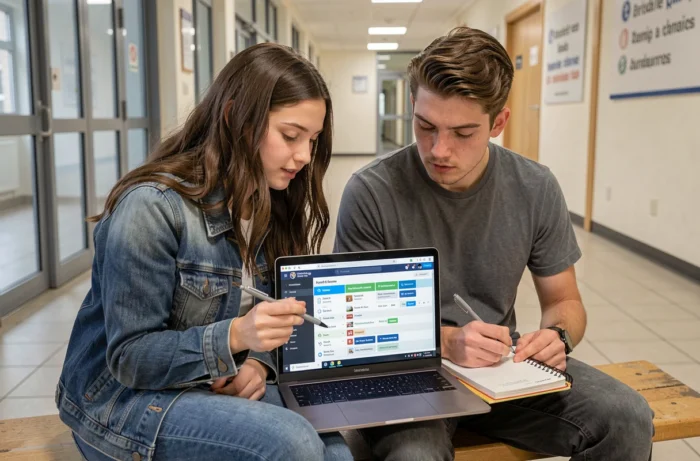
Once you are logged in, the ENT brings together all the tools you need for student life. The student homepage organizes services into categories: learning resources, student life, academic administration, library and personal profile.
Some of the most frequently used tools include:
- Your timetable, updated in real time and also available through the UA mobile app.
- Zimbra university email, the official channel for all communication with teaching staff and the administration.
- Microsoft 365 included with your student account, giving you access to Word, Excel, PowerPoint and Teams online at no extra cost.
- University library resources, including catalogues, reservations and access to academic databases.
- Online administrative services, such as certificates of enrolment, transcripts and course registration.
The UA mobile app lets you access some of these services from your smartphone. It does not replace the full ENT, but it is useful for quick checks, such as your timetable and notifications.
University digital tutorials and support
The University of Angers provides tutorials on Moodle to help students get familiar with its digital tools. These resources cover everything from setting up email to using online learning tools.
The Helpdesk is the single point of contact for all technical issues. Tickets submitted there are handled by the DDN. International students applying through Parcoursup, MonMaster or E-candidat follow the same account activation process as other students. Those who do not apply through these platforms can activate their account using the code on the certificate of enrolment provided when they register at their faculty.
Keep your student number and ENT username somewhere you can access offline. That way, you will not be stuck when the only place to find these details is the ENT you can no longer log in to.