
One Monday morning, the academic intranet page refuses to load. There’s no way to tell whether the portal is undergoing maintenance or the password has expired. Thousands of staff at the Amiens education authority encounter this situation every year across Aisne, Oise and Somme. Accessing webmail and administrative services shouldn’t take more than two minutes, provided you know the right addresses and how to get around access issues.
Unable to access the intranet: portal outage or login issue?
When the homepage displays a technical error or keeps loading indefinitely, it’s tempting to enter your login details again and again. The best first step is to try another academic service to pinpoint the cause.
If webmail.ac-amiens.fr loads normally but the intranet portal remains inaccessible, the issue is with the central server, not your account. In that case, there’s no need to reset your password: you could make things more complicated once the portal is back online.
Conversely, if none of the services let you sign in (neither webmail nor Arena), the problem is probably related to your login details. Before contacting support, try these two quick checks:
- Check that your password hasn’t expired. The education authority requires passwords to be changed periodically, and no reminder is sent to a personal email address.
- Make sure you’ve entered your username in the prenom.nom format, without the @ac-amiens.fr extension, as the webmail login page only requires the short username.
- Try another browser or a private browsing window to rule out a cache issue or an expired certificate on your device.
If nothing works after these checks, you can contact your department’s IT support service (DSDEN) by phone. Several guides explain how to sign in to the Amiens education authority intranet and provide useful contact details.
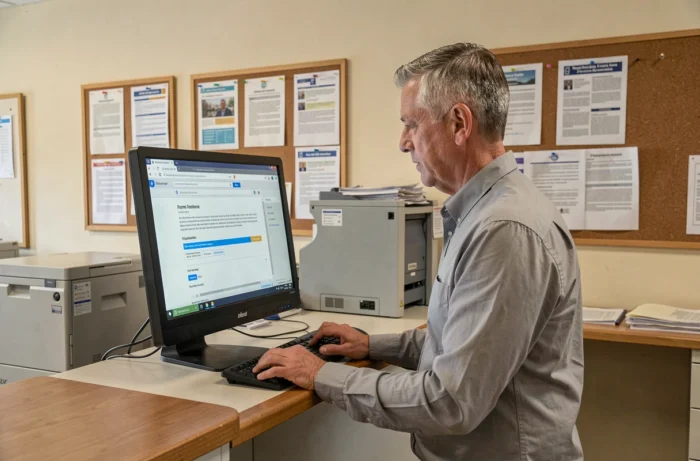
Webmail ac-amiens.fr: direct access without going through the portal
The intranet portal brings together a wide range of resources, but the academic email service does not technically depend on it. Webmail works independently at webmail.ac-amiens.fr, even when the education authority’s homepage is unavailable.
This distinction is useful in everyday work. If you simply need to check a message or reply to an urgent email, going directly to webmail saves you from navigating the portal menus. You’ll reach the Roundcube interface (or, depending on the configuration, the older Horde interface) using the same academic login details.
Set up an email client on your computer or phone
If you prefer Thunderbird, Outlook or your smartphone’s mail app, IMAP is still the most reliable protocol. It syncs messages without deleting them from the server, so you can access your emails from any device.
The incoming server is usually imap.ac-amiens.fr, and the outgoing server is smtp.ac-amiens.fr. The port and encryption type (SSL/TLS) vary depending on the email client, but most recent software detects these settings automatically from the address [email protected].
Arena and administrative services available separately
Arena is the education authority’s applications portal. You can access it at arena.ac-amiens.fr using the same login details as for webmail. It brings together work-related applications: I-Prof, leave management and access to your administrative file.
If the main intranet is down, Arena often remains operational because it runs on separate infrastructure. You can therefore continue using I-Prof to track a transfer request or check your career progression, even if ac-amiens.fr displays an error.
Mon portail RH: Colibris’ successor
Since January 2026, Mon portail RH has replaced Colibris for managing HR procedures for French National Education staff. You can access it through Arena or via the Mon portail RH mobile app, available from the usual app stores.
This change caused some confusion during the transition. Old links to Colibris sometimes redirect to an error page. Always going through Arena ensures you reach the right service, regardless of changes to application names.

First-time login and retrieving your NUMEN
When you start your first position with the Amiens education authority, your login details are sent by mail or provided by the DSDEN in your assigned department. Your initial password is temporary and must be changed the first time you sign in.
The NUMEN (National Education Identification Number) is used to reset your password. You can find it on your appointment notification or appointment orders. If you’ve lost it, only the rectorate’s administrative office can provide it, upon presentation of proof of identity.
A common mistake is to confuse the NUMEN with your email username. The NUMEN is a fixed alphanumeric code that never changes, while your login follows the prenom.nom format and may change if your legal name changes.
Useful addresses for the Amiens education authority
| Service | Address | Purpose |
|---|---|---|
| Webmail | webmail.ac-amiens.fr | Academic email (direct access) |
| Arena | arena.ac-amiens.fr | Work-related applications, I-Prof, Mon portail RH |
| Academic website | www.ac-amiens.fr | Intranet, news, service directory |
| Mon portail RH | Via Arena or the mobile app | HR procedures (replaces Colibris) |
Bookmarking these addresses means you won’t have to rely on a single point of access. If the main website is undergoing maintenance, webmail and Arena are the two most reliable ways to keep working without interruption.